Pages

Thursday, February 21, 2013

Visualization of A* Algorithm - Final Version

Actually, I finished this project nearly a month ago but since I'm so lazy lately, I can write a post and put the program here at this moment. You can find more information about this project here my previous blog post.

Since then, all of the improvements were about GUI, adding load maze property and fixing bugs. As a GUI, I added radio button set which is used to replace starting and destination nodes and put obstacles.

After making some tests on the map, I encountered a problem. Since the algorithm can spread on every direction, the scenarios like in the image can create unwanted situations. Technically speaking, this is caused by diagonal search of neighbor nodes.


To avoid that, I added a radio button which enables and disables diagonal movement. Here is the new result of the same scenario. In this case, neighbor search is done only horizontal and vertical directions.


Other than these, I wanted to add an extra property which is loading maze to the map. With it, users can choose predefined mazes according to their difficulties. These are easy maze, medium maze, hard maze and dead-end maze. To do this, I used the idea of tile maps. I created txt files which includes numbers which are 0, 1, 2 and 3. Each of the numbers has its own node type. 0's are the normal nodes, 1 is the starting node, 2 is the destination node and 3's are the obstacle nodes.

0 0 0 0 0 0 0 0 0 0 0 0
 1 0 0 0 0 3 0 0 0 0 0 0 
0 0 0 0 0 3 0 0 0 0 0 0
0 0 0 0 0 3 0 0 0 0 2 0
0 0 0 0 0 3 0 0 0 0 0 0
This is an example of a txt file that includes nodes' information.

On the Java side, I'm going through all numbers in the file with two for loops and prepare the new state of the nodes according to the number that is read from the file.

In the class that I made this project for, as a difference, our professor wanted us to write software design document before starting project. Also at the end of the project, we wrote unit tests and user manual. I have to admit that I really didn't like writing these documents. Also, writing tests for the code that I wrote didn't sound meaningful to me. Maybe the idea for writing tests for others' code would be more meaningful. But, in a very limited time that couldn't be possible.

And of course images of the program:


You can download the executable jar here. Loading maze is not working in this version. Because it is using another folder which has maze files.

Before finishing the post I would like to share the links that gave me idea about how I should set up the GUI and choose colors.
http://www.ccg.leeds.ac.uk/people/j.macgill/xaStar/
http://www.youtube.com/watch?v=FNRfSQDF7TA

Wednesday, February 20, 2013

Game and gamedev websites

In this post, I will write some of my favorite web sites about indie games and game development.

News websites about indie games

Articles/Blogposts
(You can find extremely technical to the very high-level posts in altdevblogaday.)
(Most of the articles requires premium. There are free ones as well.)

Subreddits about games and game development
(There are very useful and awesome posts in these subreddits.)

Friday, February 8, 2013

My first attempt to mobile game development - Crazy Tic-Tac-Toe

There was  a mobile game development conference which was given by the creators of Gideros Mobile. Gideros Mobile is a platform that allows you to make Android and iOS games. And it uses Lua as a scripting language. 

After this conference, I wanted to make something and play it on my phone. That would be a different experience. And I chose Tic-Tac-Toe to start with. Because it doesn't require so many detailed sprites and relatively easy to code. Also it is really convenient to be played in touchscreen devices. Because players just tap on a square that they want to put an X or O.

After I started to develop, I saw that Gideros has a really nice documentation and forum. If you want to start mobile game developing, you should give it a try.

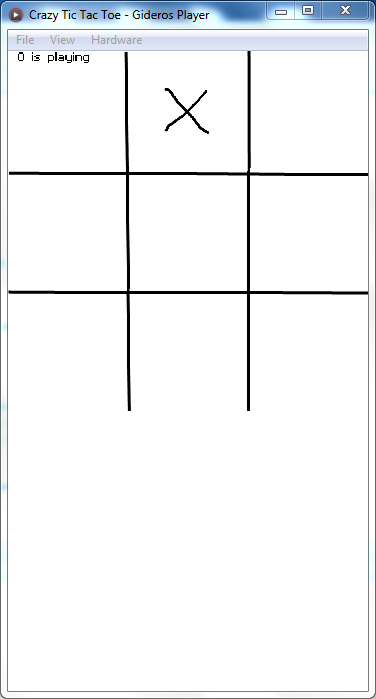
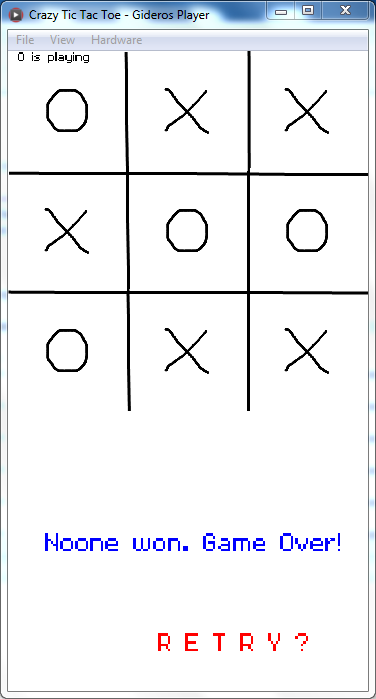
Here are the screenshots of the game: 


In-game images that shows the proceeding of the game.

Wednesday, January 23, 2013

Tweevio - What and how?

I really like doing something with Twitter API. Last year, while I was trying to learn Python, I wrote a script that receives the trending topics in Twitter. (You can see the code here.)

Now I'm planning to do a project with using Twitter API again. Actually, I'm thinking on it very long but I have a chance to make it happen at this moment. I even gave a name for it: Tweevio.

Tweevio will show the last Youtube videos that are shared in Twitter. Yes, that simple.

After this convincing explanation of the project, let see how I'm planing to do this project:

I think I have to use Youtube API for playing videos. Also, I'm planning to use jQuery library. Actually, I don't know jQuery but in CodeAcademy there are really good tutorials. I will follow those tutorias to have an idea. The reason I choose jQuery is to make my job easier on sending HTTP request and JSON parsing.

Before starting this project, I separated the things that will be done into simple tasks. Here they are:
  • Send HTTP request to Twitter Search API. And store the response in a variable. (Youtube.com, youtu.be will be searched in tweets.)
  • Parse the JSON which will come as response and extract Youtube links from it. (Maybe using regular expressions.) 
  • Write a simple website which just has an input box and button. This website will show the Youtube video whose url is entered in input box.
  • Prepare a very simple website with Twitter Bootstrap. (Use placeholder images.)

This is the design of the site created with Balsamiq Mockups.

Tuesday, January 22, 2013

Plans for semester break

  • I want to follow Scala course on Coursera which is given by Martin Odersky. I have no functional programming experience. I want to enter into this area with this course.
  • I will look over Play! framework which is used to build web applications with Scala and Java.
  • I will also follow jQuery and API lessons in CodeAcademy. In CodeAcademy, in order to pass a course, you have to write codes and complete missing parts. I think it's a great way to learn.
  • I have a little project which uses Twitter API. I want to complete it. Also I will write a blog post about it.
To accomplish all the things above can be difficult. Because, I have bad experience about these kind of todo lists. I can get bored and leave the things that I'm working on. Related to this, a few days ago I saw a video on Facebook. I think the guy in the video has a point. I will give ear to things the guy emphasizes. I think you should check this out, too.


Friday, January 18, 2013

Download Manager Project - Bash scripting

The download manager is the project that I made for UNIX Scripts and Utilities course. I used bash scripting and dialog. Dialog is for the GUI of the project.

The reason that I chose this project is sometimes I download lecture slides of courses that I'm interested in. For example, since MIT opened the most of their courses, I want to download the lecture files to see how they go over the courses and what the homeworks are. Downloading whole files by clicking every link was exhausting. At this point my project is lending a hand to make things easier.

Actually you can download files from a web site by using wget command. To download specific types of files like pdf files, you can give the extension of the file with -A parameter. Let's see an exampe of this.

       wget -r -A.pdf http://www.cs.ozan.edu/~yildiz/prog101/

This command will download all pdf files in the given website which is supposed to include lecture slides or homeworks.

Since the aim of the project is using grep, sed, awk, cut and provide GUI to the user, I should have used something else. And I came up with this:

How does the script work?
  • After a user enters comma-separated urls of web pages, the script keeps a list of urls by using awk command.
  • The script has a loop to iterate over those urls.
  • Then, the source of a web pages is downloaded with wget -k -O command. -k parameter is to convert all relative paths to absolute path.
  • Then, grep extracts these absolute paths by looking file extensions and write them into a file. (The extensions of the files that are going to be downloaded is predefined.)
  • Another loop downloads all files one by one. Also download bar is increasing when a file is downloaded.
  • The script also keeps the history of the downloaded files.
And of course images of the project:

This is the part that user enters links.

Downloading screen. We are able to see the file that is being downloaded.

I put the codes to my gist. Click here to see the code. You can add new file extensions to be downloaded by modifying extensions variable.

Sunday, December 2, 2012

Visualization of A* Algorithm - A Java Project

As I mentioned in the last post this semester I'm doing a Java project which is Visualization of A* Algorithm. Because of the exams, I couldn't spare time to improve it. I did some in this weekend. I redesigned the class structure because a class was doing things that it shouldn't do. I added one more class and it is more object-oriented right now.

When I did the first version - before the improvements above - I showed it to my professor. He wanted me to add the spreading of the algorithm in every step. In this way, we are able to see how the algorithm works. To do this, I had to sleep the algorithm for awhile in every step. And I added sleep into the function which finds the path. But it didn't work as I expected. Because GUI slept, too. After a little search, I found that I had to make thread programming to fix that problem. My program was executing in a single thread, when I sleep a function, GUI was sleeping, too. The thing that I have to do was dividing the program into two pieces, first is the piece that shows the GUI elements and the second is the piece that does calculations for algorithm.

I know a little bit of thread programming from my Operating Systems course. We also did a lab to learn better. We were using C, you can find the code for that here. In Java, thread programming was easier than I thought. After doing that, program was working correctly.

Now, I have to study to understand algorithm better. I am little bit confused because of heuristic part of algorithm. The heuristic is directly affecting the algorithm, choosing the right heuristic is the main issue of A*.

Here is some images from the project;


Initial position of starting and destination nodes. Later, users will be able to change their positions.


Spreading of algorithm. Light gray nodes are in closedList. Dark blue nodes are in openList. Calculating g value of neighbors is like this:
currentNode.g + 10 for horizontal and vertical neighbors
currentNode.g + 14 for diagonal neighbors
And Manhattan heuristic is used.

When I finish this project, I'm planning to open the source code. I will probably share the codes on Github.